The Sift guide
How to use Sift, in four steps.
Add your bank statement. Sift sorts every naira, shows you what stands out, and then answers any question about your money from your own numbers.
- 1 · Add a statement
- 2 · See where it went
- 3 · Read your insights
- 4 · Ask Sift
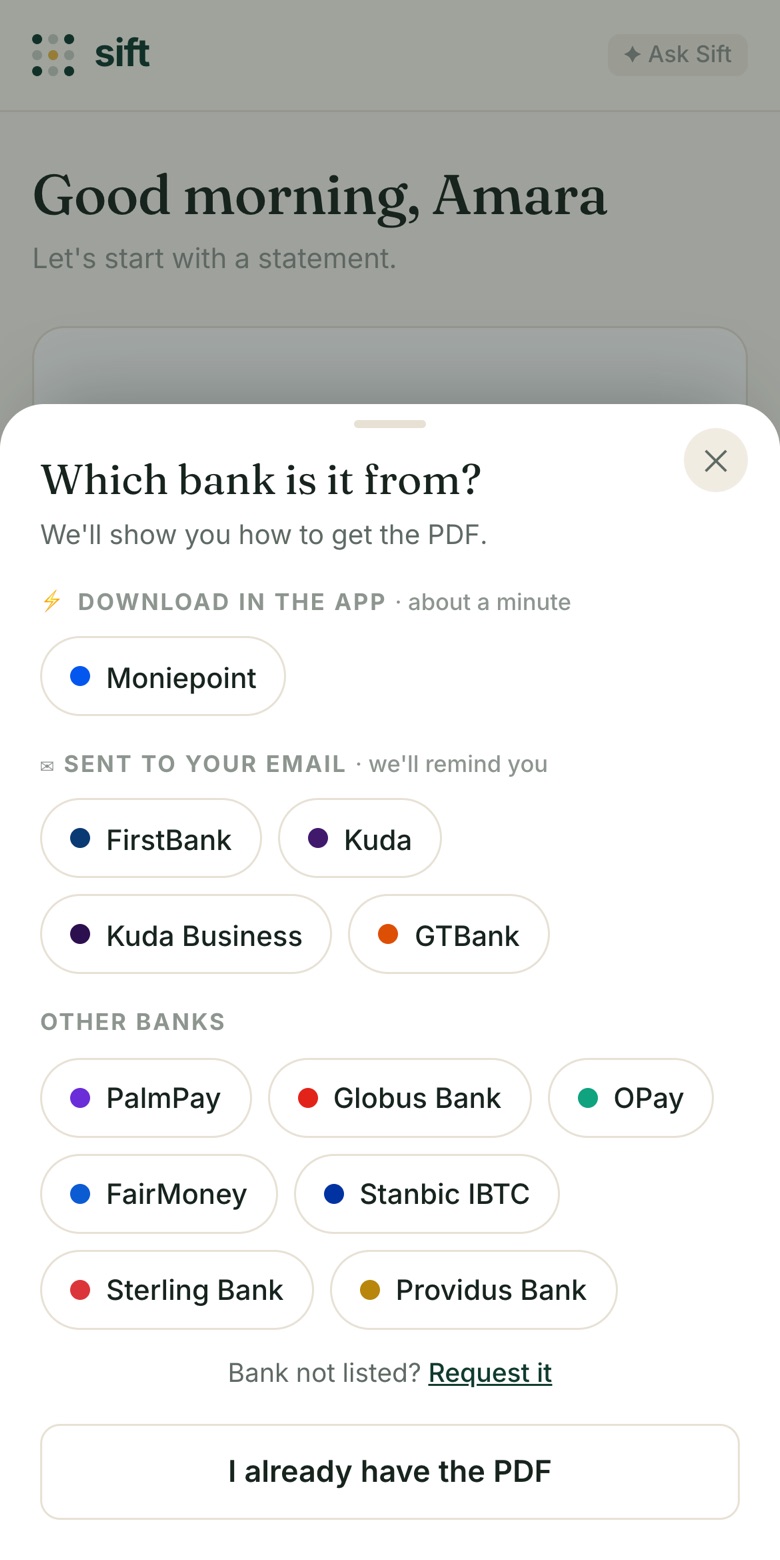
Pick your bank, get the PDF, add it.
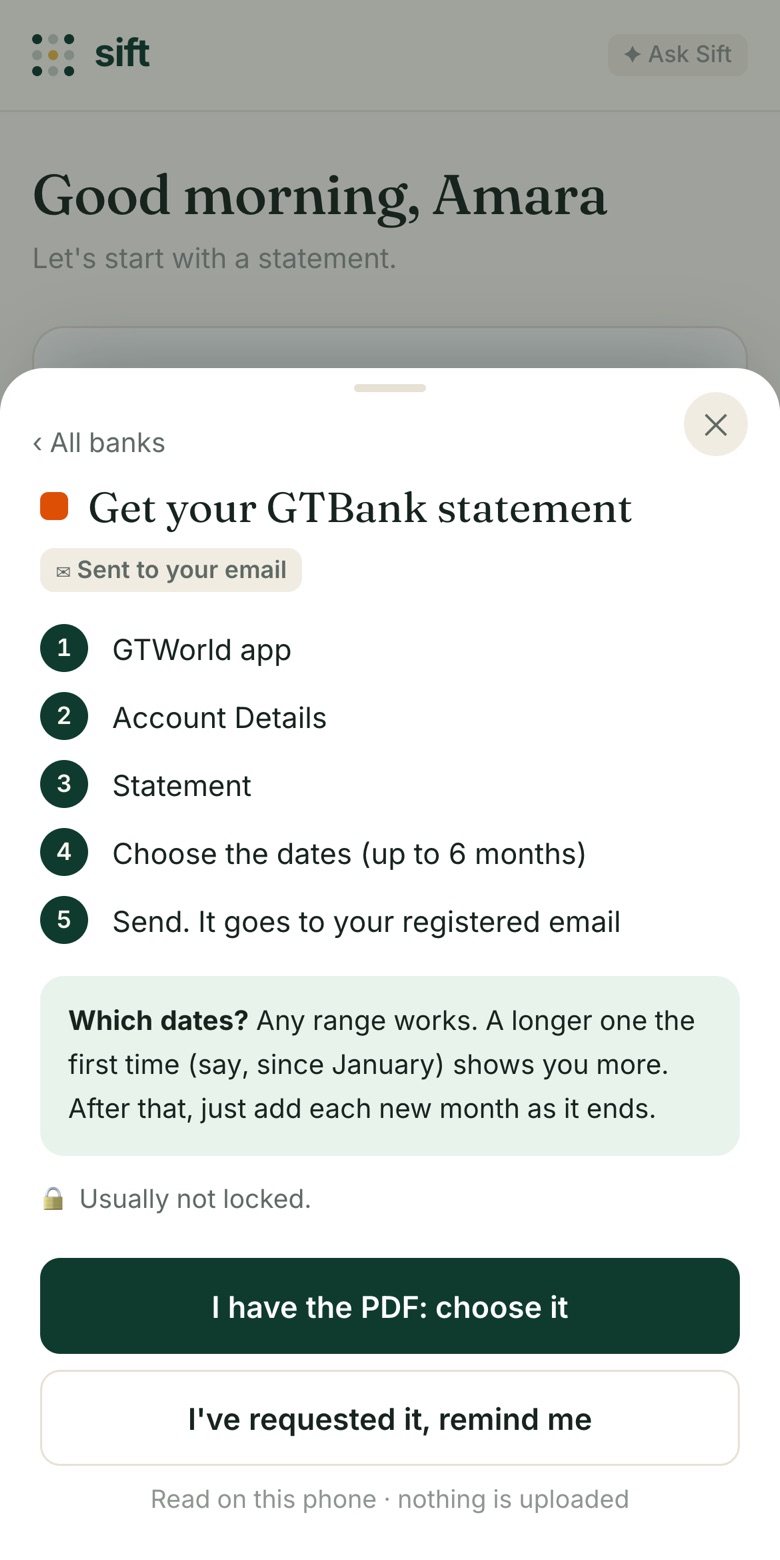
Tap the + button and pick your bank. Sift shows you exactly where to find the statement in your bank’s app, or how to ask for it by email. Not sure when it will arrive? Tap “I’ve requested it, remind me” and we’ll email you.
Once you have the PDF, tap “I have the PDF” and choose it. Any date range works; a longer one (say, since January) shows you more. Add as many banks as you use.
🔒 Your statement is read on your phone. It is never uploaded.
Every naira, sorted for you.
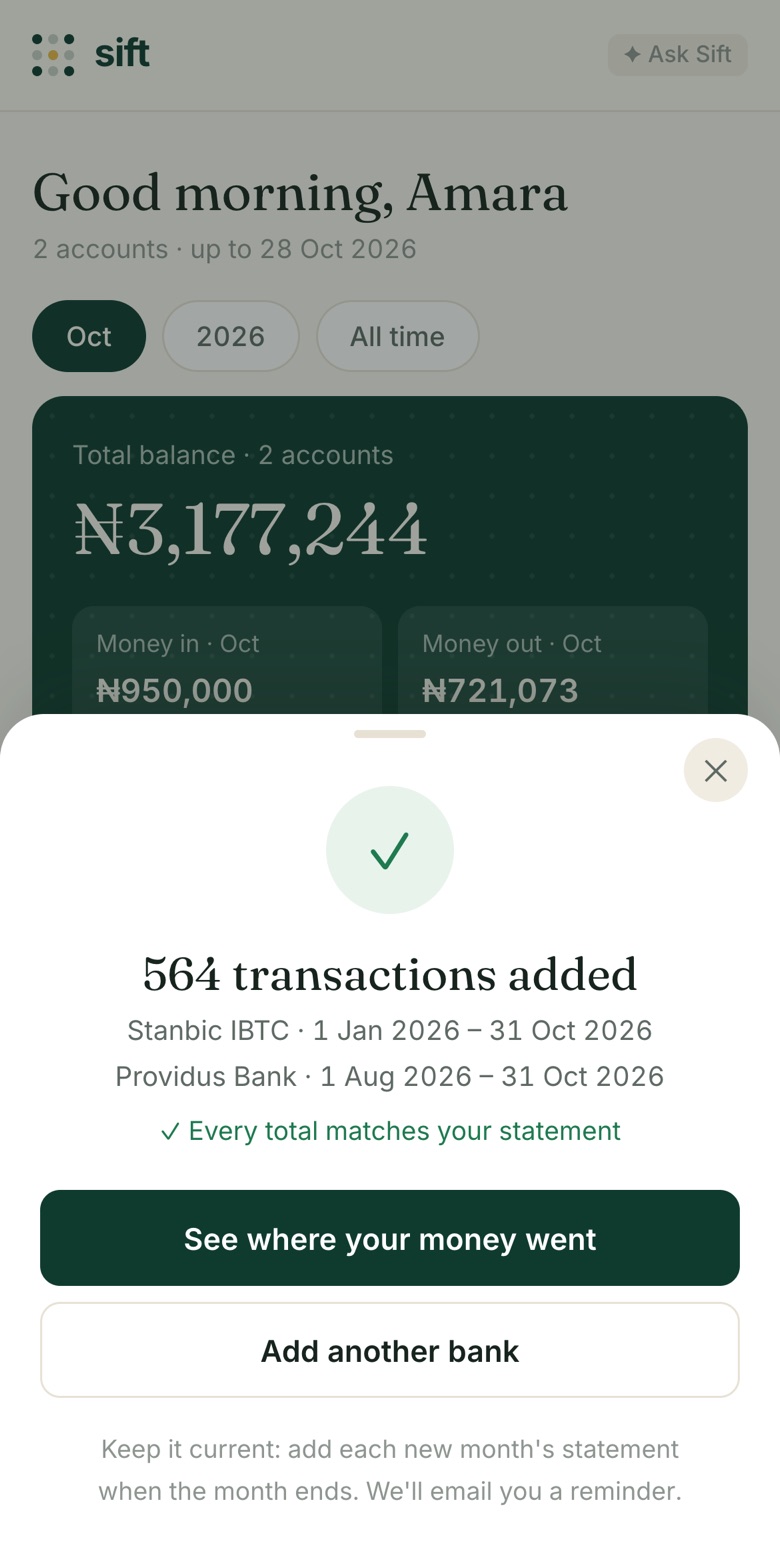
In seconds, Sift reads every transaction and checks its totals against the ones your bank printed on the statement, so nothing is missed or counted twice.
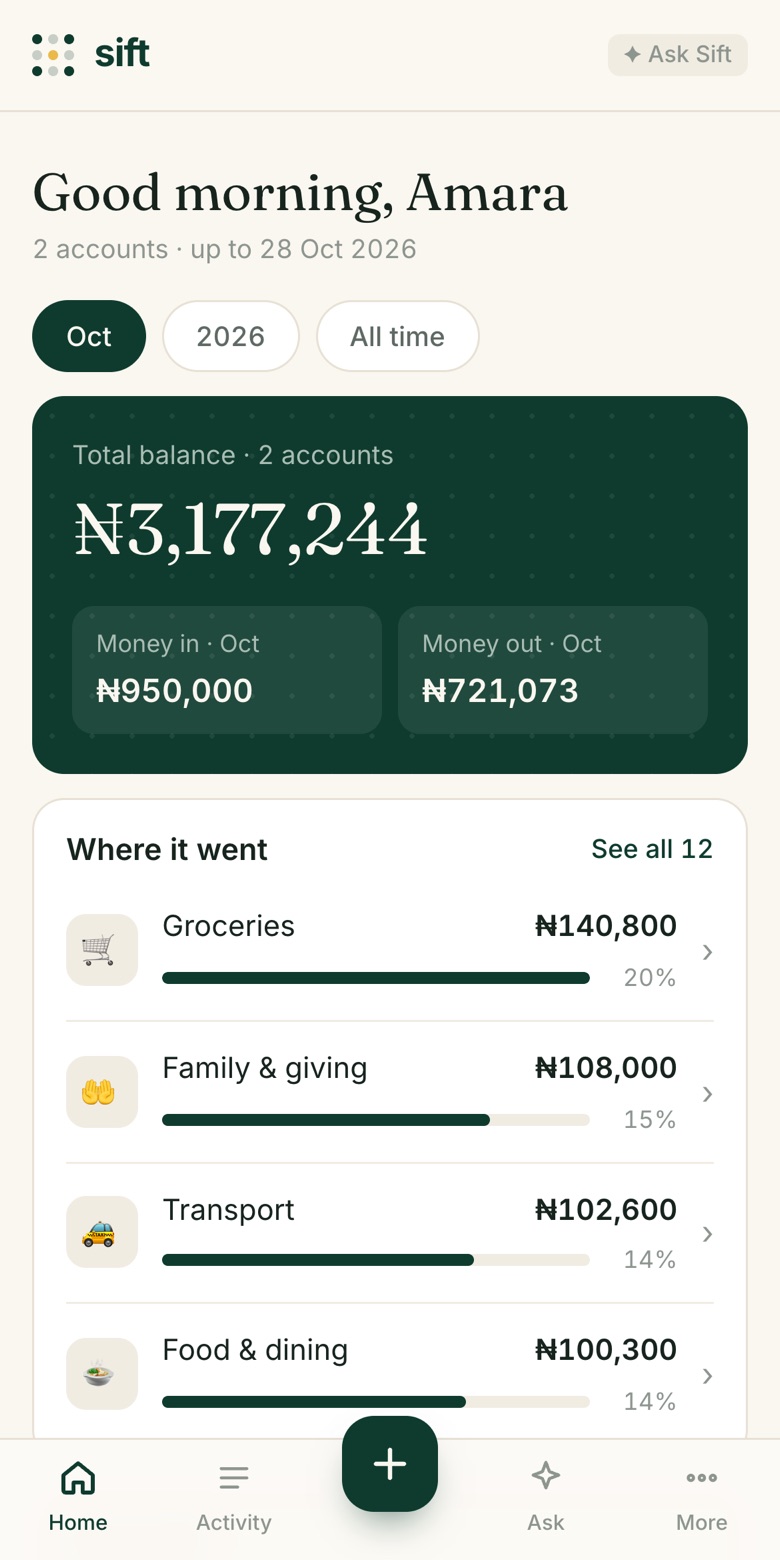
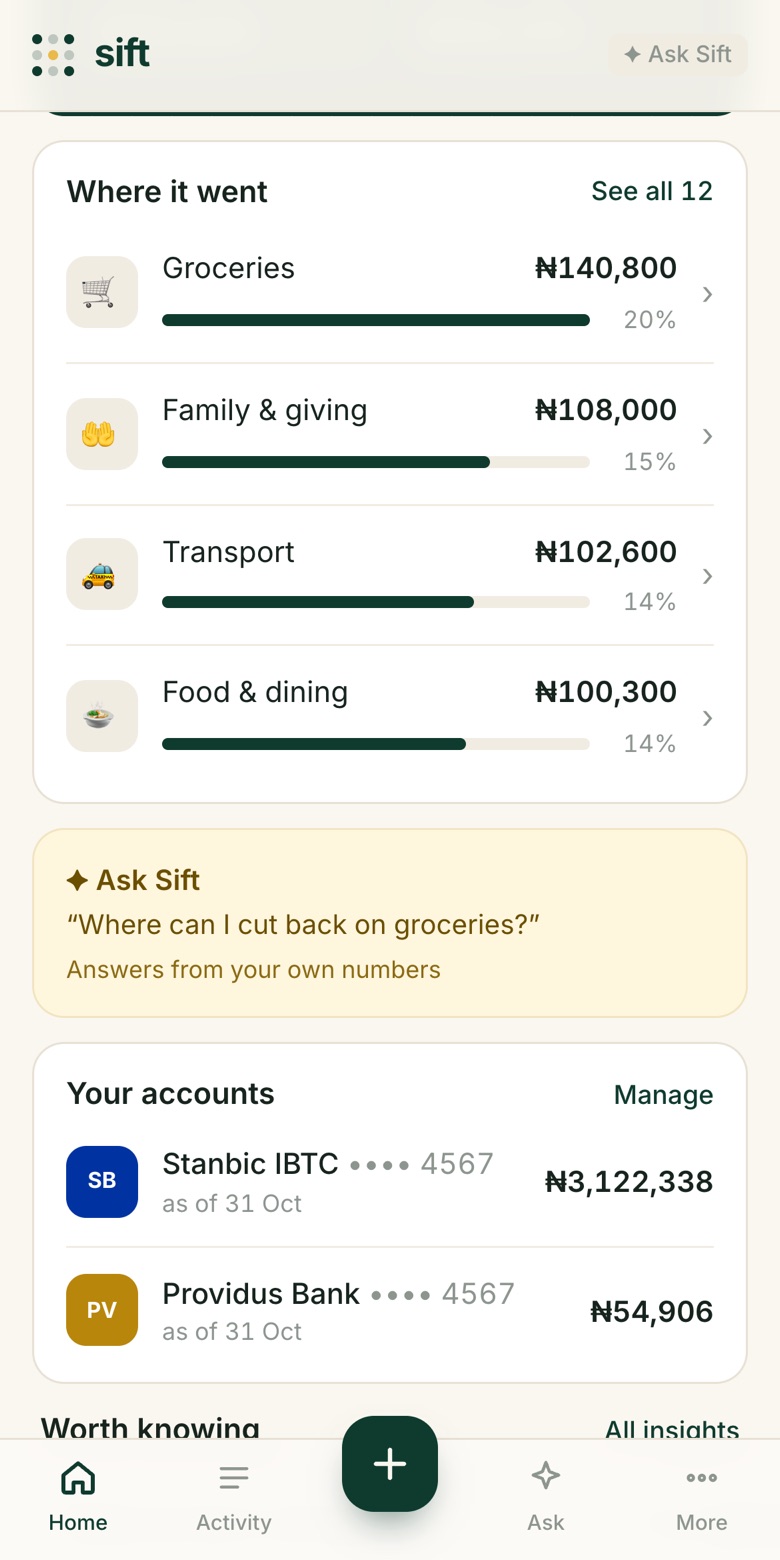
Then it sorts each one into categories: groceries, rent, transport, food, family and giving, bank charges, entertainment (betting included), savings and more. Switch between this month, this year and all time, and tap any category to see who got paid.
Patterns you’d never spot scrolling your bank app.
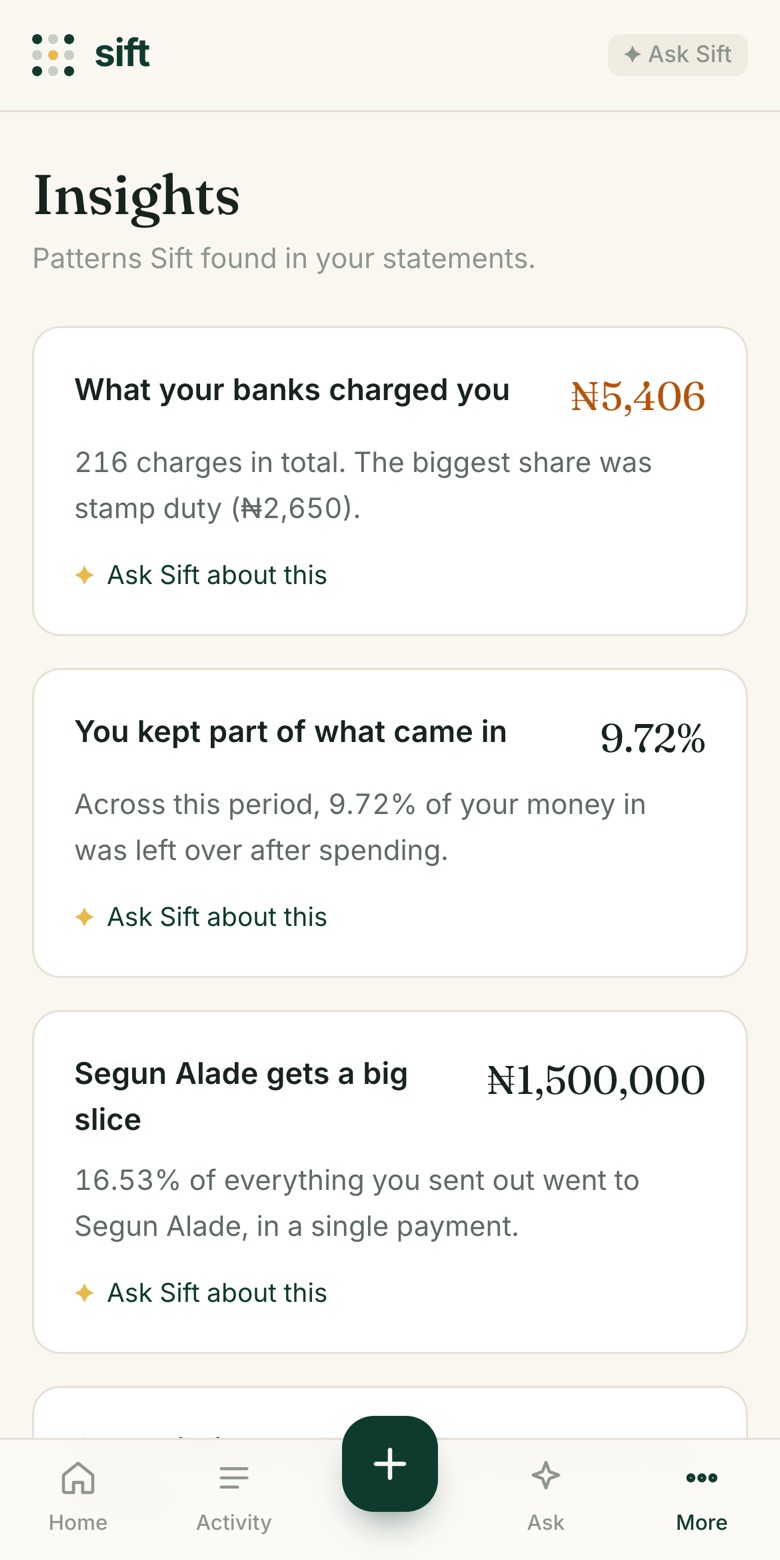
Open Insights to see what stands out: how much your banks charged you, how much of what came in you actually kept, your largest payments, the people you send the most to, and the subscriptions you keep paying.
Every insight has an “Ask Sift about this” link, so you can dig into anything that surprises you.
Ask anything about your money, in plain English.
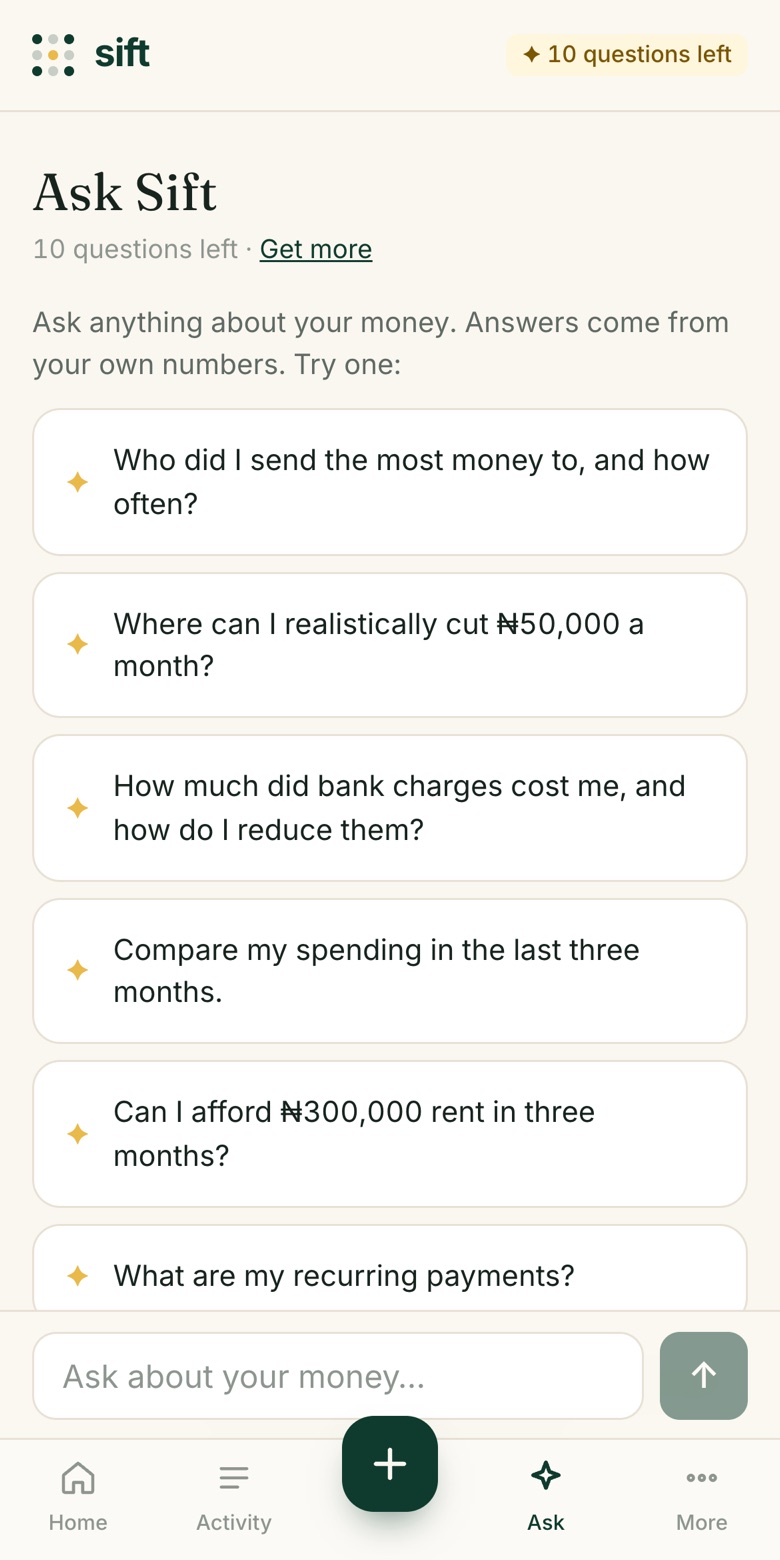
Tap Ask and type a question, or pick one of the suggestions. Sift answers from your own transactions: real amounts, real payees, real months. It’s not generic advice.
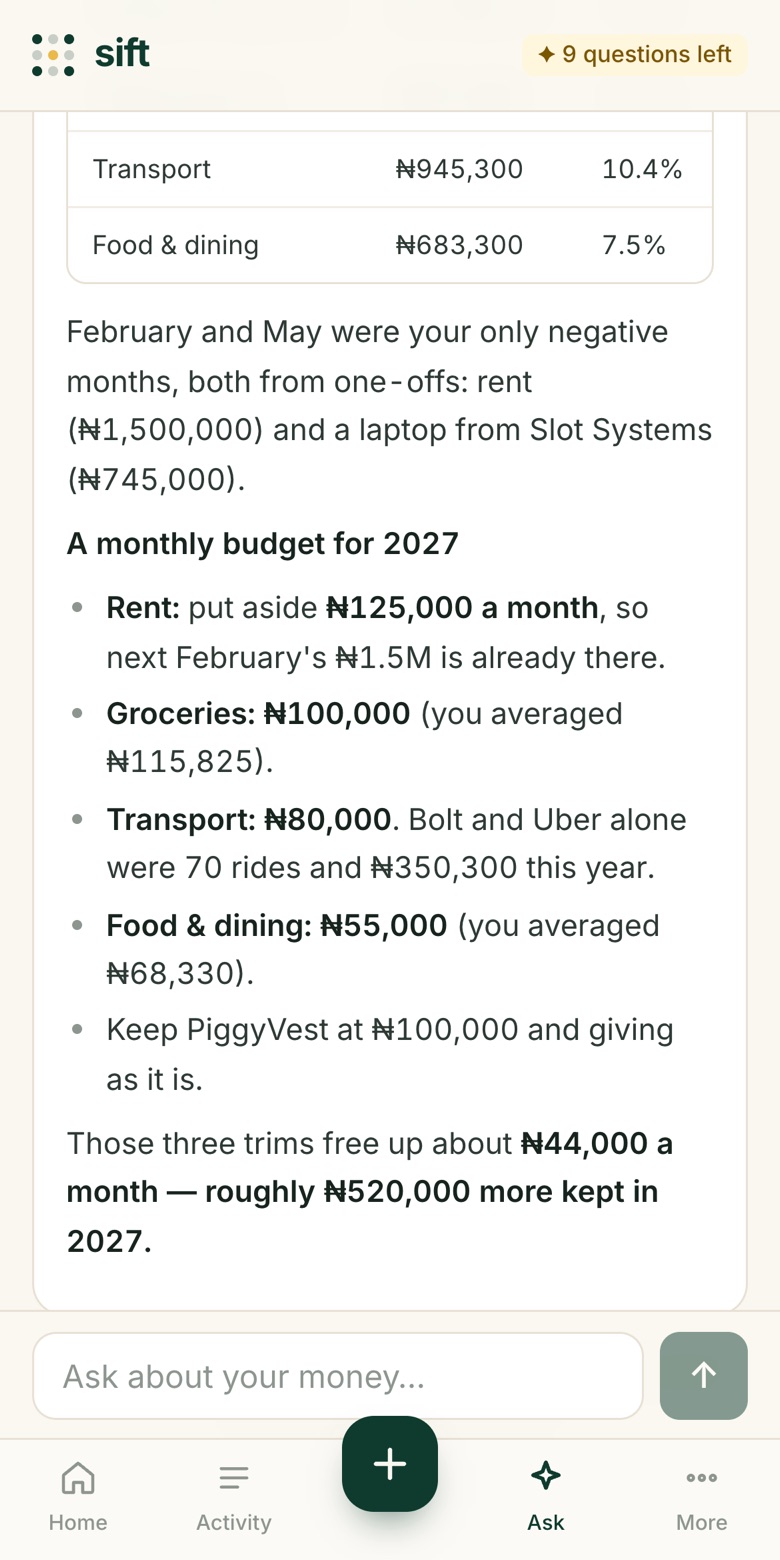
Ask follow-ups like you would a friend who’s good with money: “and how do I fix that?”, “show me by month”, “what if I cut transport by half?”
Your first 3 questions are free. After that, buy a pack when you need more; questions never expire.
Questions people ask
- Plan“What should my monthly budget be for 2027?”
- Cut back“Where can I realistically cut ₦50,000 a month?”
- Habits“How much did I fund my betting app, and how much came back?”
- Charges“How much did bank charges cost me, and how do I reduce them?”
- People“Who did I send the most money to, and how often?”
- Subscriptions“What are my recurring payments?”
- Compare“Compare my spending in the last three months.”
- Decide“Can I afford ₦300,000 rent in three months?”
Tip: the more months and banks you add, the better the answers.
Then, every month
Add the new month’s statement.
When a month ends, add its statement and Sift picks up where it left off. Overlapping dates are fine, since repeated transactions are only counted once. Install Sift on your phone (Share → Add to Home Screen) so it’s one tap away for your monthly money review.
Ready? Add your first statement.
sift.builderos.live · Free to start · Your statements never leave your device